Video
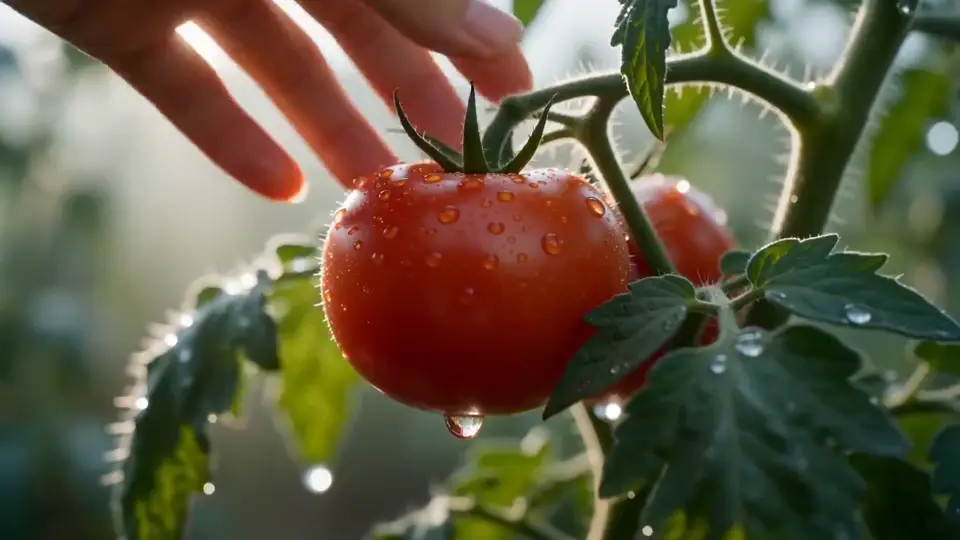
Image to Video
Animate a still image into a cinematic clip with motion, camera direction, and model controls built for Seedance 2.5 video workflows.
Try Now Seedance 2.5
Seedance 2.5 supports text to video, image to video, reference-guided clips, video extend, and motion control — sharper detail, longer duration, and publish-ready output from one AI video model.
Seedance 2.5 brings text-to-video, image-to-video, reference video, clip extension, and motion control into one platform — with Seedream image tools alongside.
AI Video Generator
Use the generator above — add a prompt, drop in references, and export your first clip.
Animate a still image into a cinematic clip with motion, camera direction, and model controls built for Seedance 2.5 video workflows.
Try NowTurn a prompt, scene idea, or short script into AI video using Seedance 2.5 supported video models.
Try NowGuide Seedance 2.5 generation with reference images and source visuals when you need more control over style, framing, and character direction.
Try NowContinue an existing Seedance 2.5 clip and extend the story while keeping the original visual direction.
Try Now Image
ImageGenerate concept art, thumbnails, product visuals, and creative images from simple text prompts with Seedance 2.5 and Seedream.
Try Now Image
ImageEdit and transform existing visuals with Seedance 2.5 image tools for fast variations, style changes, and production-ready assets.
Try NowSeedance 2.5
Higher resolution and longer duration — built for clips you'd actually publish.
Tap video to pause or resume
Seedance 2.5 gives sharper output for product visuals, social videos, ads, and portfolio-ready scenes.
Seedance 2.5 lets each shot carry setup, action, camera motion, and closing beats with more room to breathe.
Seedance 2.5 keeps the familiar Seedance 2.0 workflow while adding more quality headroom for finished video work.
Multi Reference Guide
Mix text, images, video, and audio to steer subject, style, and camera with more precision.
Tap video to pause or resume
How many reference assets you can combine in one Seedance 2.5 generation.
Mix modalities to lock identity, motion, mood, and sound direction.
Prompt Guide
Seedance 2.5 follows clear direction. Build every prompt around five parts — then keep it short, specific, and easy to refine.
01
Name who or what is in frame
e.g. A woman in a beige trench coat
02
One clear motion or story beat
e.g. Walks through rain, turns to camera
03
Shot size and movement
e.g. Slow push-in, medium close-up
04
Environment and light quality
e.g. Golden hour, soft rim light
05
Visual mood and treatment
e.g. Cinematic, shallow depth of field
Example Prompt
Swipe to read more
Generated Result
Image to Video: your image already defines the look — focus the prompt on motion, camera, and atmosphere instead.
About the model
An upgraded AI video model with sharper output and longer clips — same familiar workflow, more room to breathe.
Cleaner subjects, textures, and effects — even in close-ups and product shots.
Build a full beginning, action, and ending in one clip instead of cutting short.
Write a prompt, add references when needed, iterate until the shot lands.
Tap video to pause or resume
Features
More detail, more screen time, and workflows that fit real publishing.
Create sharper Seedance 2.5 videos with cleaner edges, clearer subjects, and richer scene detail for ads, product clips, creator posts, and premium social content.
Use Seedance 2.5 extended timing to show a complete action, product reveal, camera move, character beat, or story moment in one generation.
Seedance 2.5 builds on Seedance 2.0 while adding more room for polished scenes, cleaner framing, and stronger final-video potential.
Longer Seedance 2.5 clips need stability, so the workflow is better suited to keeping subjects, motion, and environments coherent across the shot.
Bring image, video, and audio references into Seedance 2.5 to guide subject identity, composition, product styling, mood, and camera language.
Seedance 2.5 fits marketing videos, ecommerce visuals, creator shorts, explainers, campaign variants, and cinematic concept drafts.
How to use
Treat the generator like a shot planner — subject, action, camera, then generate.
Describe the subject, setting, movement, style, and camera direction. For Seedance 2.5, include the exact moment the longer clip should complete.
Upload images, videos, or audio when Seedance 2.5 needs more control over a person, product, layout, mood, or existing brand style.
Select aspect ratio, duration, and resolution for Seedance 2.5, from vertical social posts to wider campaign visuals and 4K output.
Review motion, detail, and timing, then revise one creative variable so Seedance 2.5 can improve the shot with clearer direction.
Overview
Fewer stitched clips, stronger reference control, outputs you can keep iterating on.
Seedance 2.5 is positioned for richer storytelling, coherent pacing, and fewer stitched clips when a scene needs a full beginning, action, and ending.
Seedance 2.5 is designed around joint understanding of creative assets, helping complex character, environment, and product references stay coordinated.
Seedance 2.5 focuses on outputs that remain editable and iterable, while Seedream image workflows support stronger pre-visual assets.
Pricing
Seedance 2.5 offers simple, transparent pricing for AI video and image generation. No hidden fees.
Subscriptions renew automatically until canceled. You can manage or cancel anytime from Billing. By subscribing, you agree to our Terms of Service and Privacy Policy.
Supported payment methods
Secure checkout powered by Stripe


Everything you need to know about Seedance 2.5 higher resolution, longer video duration, references, and generation quality.
Seedance 2.5 is best for AI video projects that need sharper detail, longer scenes, and a more complete visual idea than a very short clip can provide.
Seedance 2.5 upgrades the Seedance 2.0 experience with higher-resolution output, longer supported video duration, stronger reference control, and more production-ready scene structure.
Yes. Seedance 2.5 reference assets help guide subject identity, product appearance, composition, color mood, or visual style.
Choose longer Seedance 2.5 duration when the video needs a clear beginning, action, and ending, such as a reveal, camera move, transformation, or product demonstration.
Higher resolution helps Seedance 2.5 videos with detailed products, faces, textural environments, close-up shots, or content that may be cropped for different channels.
Use a specific prompt, add useful references, choose settings before generating, and refine one creative variable at a time after each Seedance 2.5 result.
Free plan outputs include a watermark. Paid plan subscribers receive watermark-free videos and images with full commercial usage rights.
Yes. Paid plan subscribers can use all generated content for commercial purposes, including advertising, social media, client work, and product promotion. We strictly prohibit NSFW content and integrate content moderation APIs plus sensitive-word filtering to block prohibited prompts and outputs.
Seedance 2.5 supports multiple aspect ratios (16:9, 9:16, 1:1) and resolutions up to 1080p. Output is delivered as MP4 video or PNG/JPEG image files ready for download.
Yes. The Image Edit tool lets you modify existing images using AI — change backgrounds, swap objects, adjust styles, or apply artistic effects with a simple text prompt.
Each generation consumes credits based on the model and output type. Eligible new accounts can claim a one-time welcome credit gift from the homepage after signup. You can purchase additional credit packs or subscribe to a plan for a monthly credit allowance. If a generation fails, credits are automatically returned according to our policy.
Visit our Contact page to reach the support team. We typically respond within 24 hours and are happy to help with any questions about your account, billing, or creative workflow. Subscriptions can be canceled anytime from Billing.
It depends on how you received them. Claimed welcome gift credits expire 30 days after they are granted. Monthly subscription credits expire 30 days after each renewal. Yearly subscription credits are granted in full at the start of the billing year and expire 365 days after they are granted. One-time credit packs (Nano, Starter, Boost, Power, Ultra, Mega) never expire — they stay in your account until used. When you generate content, we always spend the credits closest to their expiry date first, so longer-lived credits are preserved.
Yearly subscriptions deliver the entire year's credit allowance in a single batch at the start of the billing period, not month by month. Those credits are valid for 365 days from the grant date. If you also hold monthly subscription credits or one-time credit packs, they all stack in the same balance — with shorter-expiry credits consumed first.
Get started today
Use Seedance 2.5 to generate videos, images, edits, and reference-guided clips from one focused creative workspace.
No credit card required. Free plan includes starter credits.